Table of Contents
Connecting ELEK Cable Pro Web AI to your ChatGPT or Claude account takes only a few minutes. Follow the setup instructions for your specific AI platform below.
Requirements
Before installing ELEK Cable Pro Web AI, ensure that you have:
- A paid ChatGPT account or a free Claude account.
- A paid ELEK Cable Pro Web account.
Don’t have a Cable Pro Web account yet?
Create a free account now to explore the software. You can upgrade whenever you’re ready to use ELEK Cable Pro Web AI.
How to Set Up

ChatGPT
- Open Settings in ChatGPT.
- Select Security and login.
- Turn on Developer mode.
- Go back to Settings and navigate to Plugins, then Browse Plugins.
- Click the Plus (+) icon.
- Enter the ELEK Cable Pro Web AI MCP server URL :
https://mcp.elek.com/cpw/mcp
- Review the requested permissions and approve.
- Click Create.
- Sign in with your ELEK Cable Pro Web account when prompted.
Once connected, ELEK Cable Pro Web AI will be available whenever you start a new chat.

Claude
- Open Settings in Claude.
- Navigate to Connectors.
- Click Add, then Add Custom Connector.
- Enter the ELEK Cable Pro Web AI MCP server URL :
https://mcp.elek.com/cpw/mcp
- Click Add.
- Sign in with your ELEK Cable Pro Web account when prompted.
Once connected, ELEK Cable Pro Web AI will be available whenever you start a new chat.
How to Use
Currently, ELEK Cable Pro Web AI supports cable sizing calculations to multiple standards. In the near future, more types of calculations will be available in ChatGPT and Claude.
1. Discover What It Can Do
Simply ask:
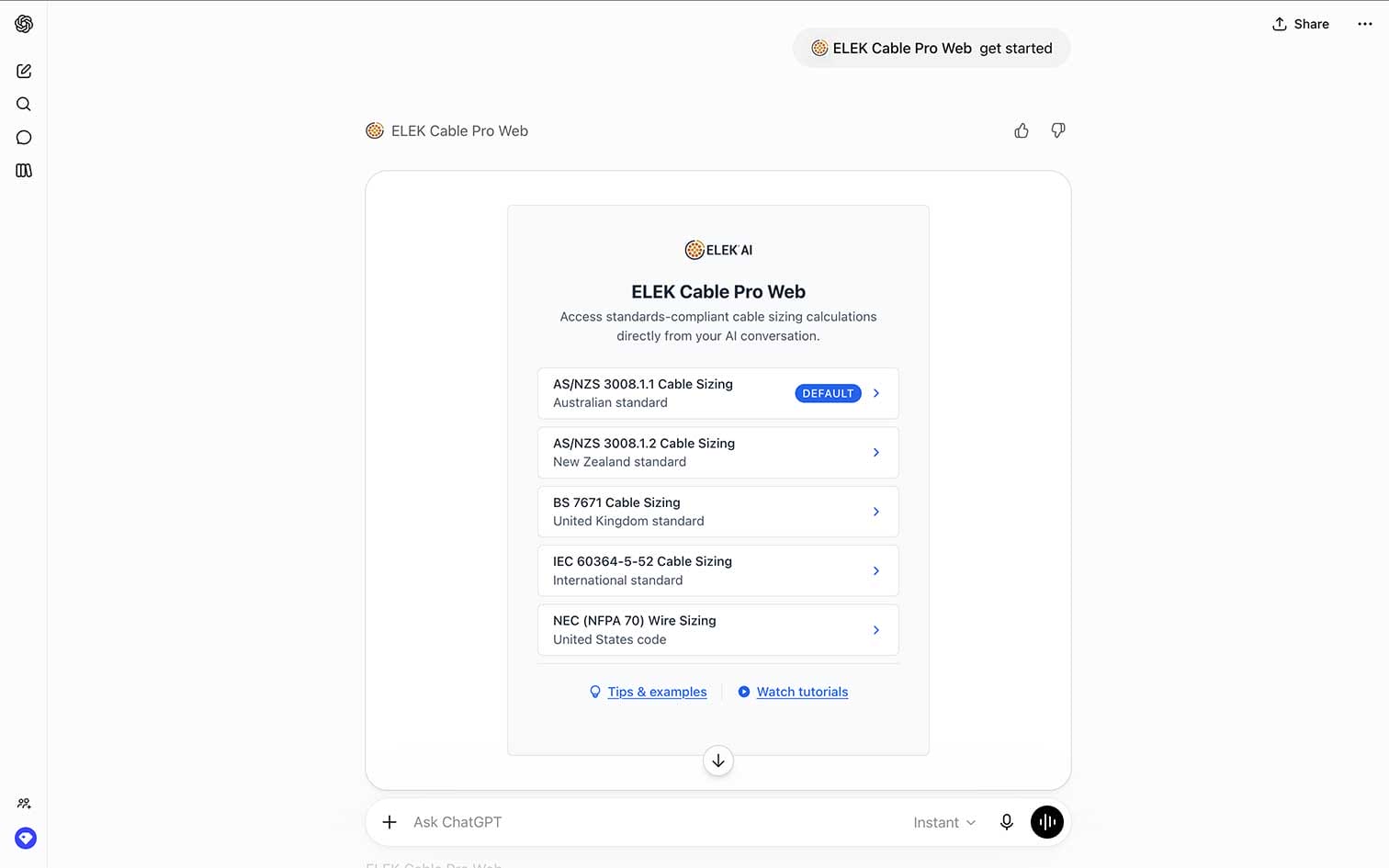
A dedicated onboarding panel will appear directly in the chat, showing:
- Supported electrical standards
- Example cable sizing requests
- Suggested prompts to help you get started
Supported standards include:
- AS/NZS 3008.1.1 (Australia)
- AS/NZS 3008.1.2 (New Zealand)
- BS 7671 (United Kingdom)
- IEC 60364 (Europe)
- NEC (United States)
2. Describe Your Cable Sizing Project
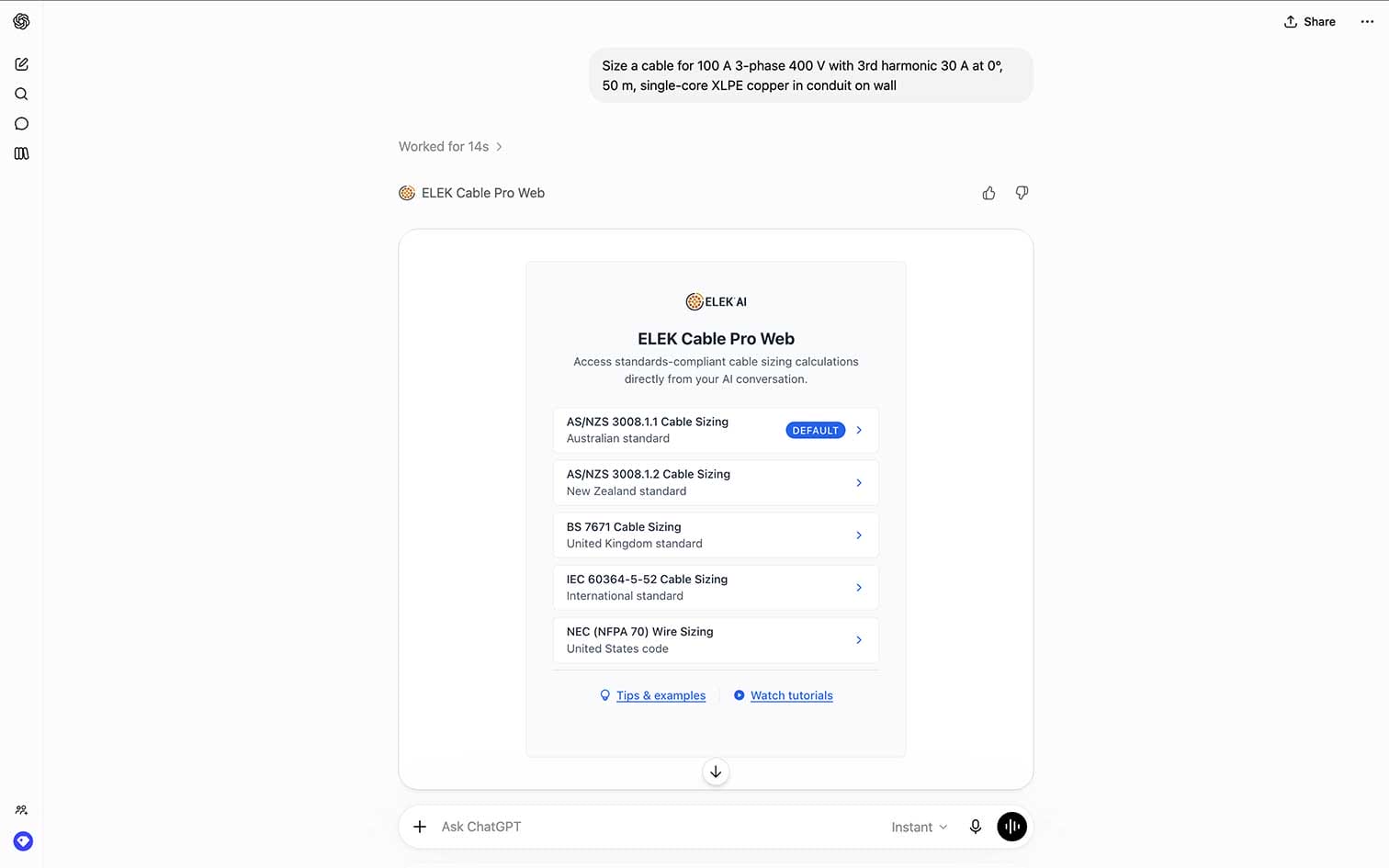
Ask your cable sizing question the same way you would brief a colleague, for example:
The onboarding panel also includes example prompts you can copy and paste directly into ChatGPT or Claude.
3. Review the Verified Result
The AI sends your request to the Cable Pro Web calculation engine, which performs the calculation and returns the result.
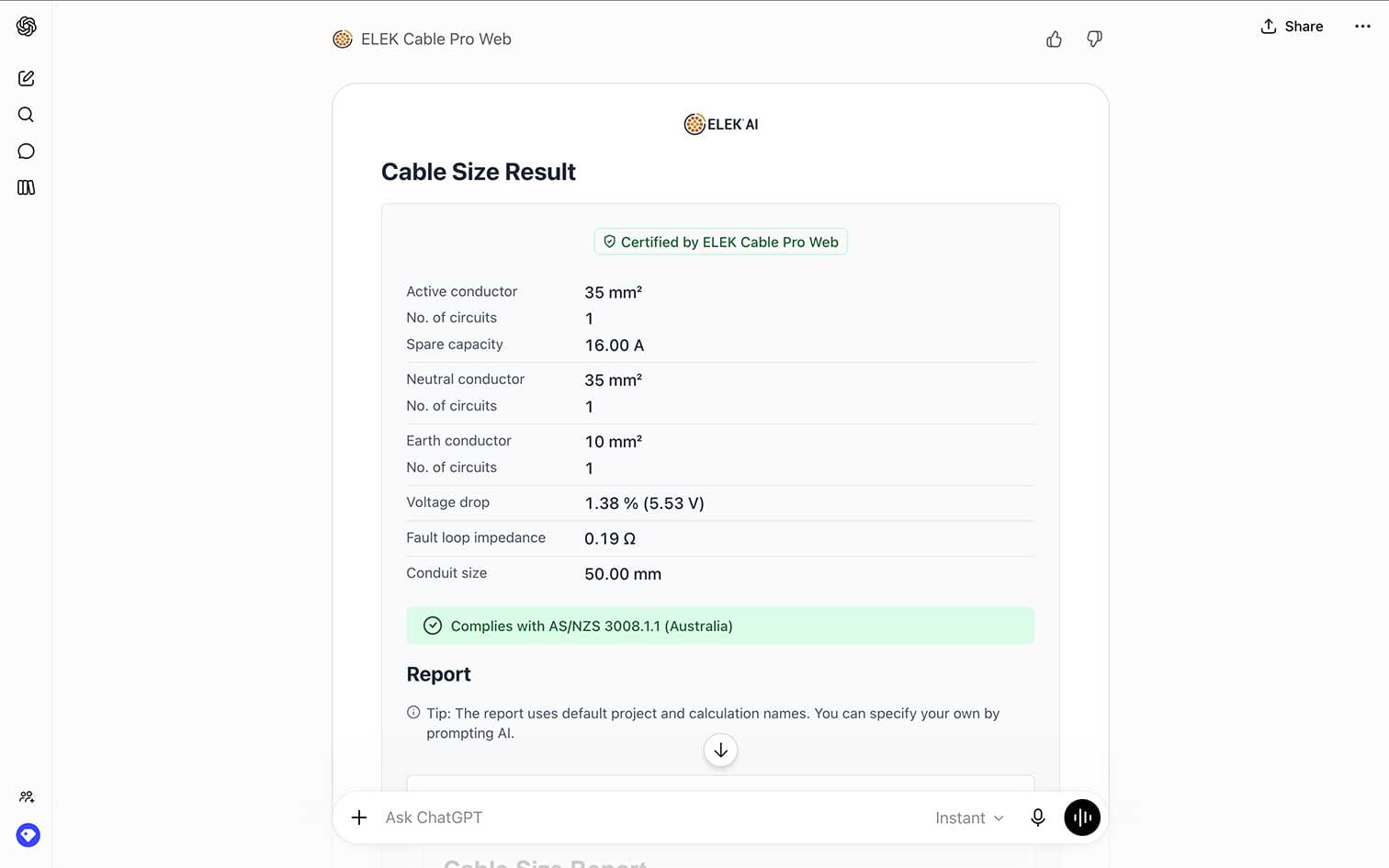
A dedicated results panel appears directly within ChatGPT or Claude, displaying:
- Recommended active conductor size
- Recommended earth conductor size
- Pass/fail compliance checks
- Voltage drop results
- The governing design factor
- Standards references
- An inline preview of the engineering report
Results are standards-compliant, deterministic, and identical to those produced directly within ELEK Cable Pro Web.
4. Refine the Calculation
Need to compare alternatives? Simply continue the conversation, for example:
Or:
Or:
The Cable Pro Web calculation engine automatically re-runs the calculation using the updated parameter while retaining the rest of the project information.
There is no need to start again or re-enter the full design scenario.
5. Download the Report
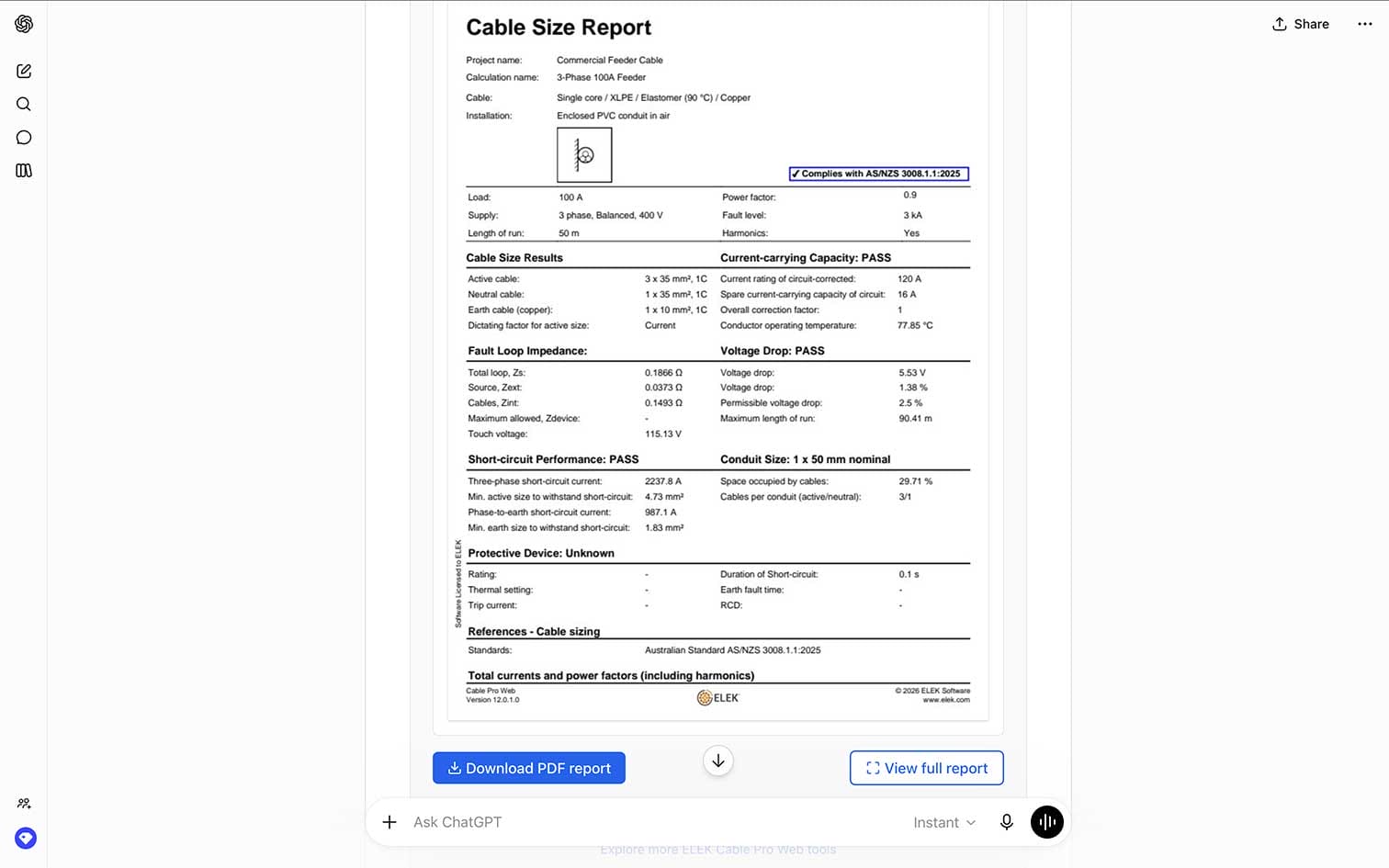
Every calculation includes a professional engineering report that can be downloaded directly from the results panel.
The report contains:
- Input parameters
- Applied standards
- Calculation methodology
- Compliance checks
- Calculation results
Reports are suitable for project documentation, design reviews, compliance records, and peer-review workflows.
Start Using ELEK Cable Pro Web AI Now
ELEK Cable Pro Web AI is available to all paid accounts.
New to Cable Pro Web?
Create a free account to explore the software and upgrade when you’re ready to perform verified cable sizing directly in ChatGPT and Claude.
CUSTOMERS
The following clients are using ELEK Software products.