























CDEGS vs. ELEK SafeGrid Software

CDEGS vs ELEK SafeGrid: A Modern Alternative for Earthing Design Software

Table of Contents

Best CDEGS Alternative (2026): ELEK SafeGrid vs CDEGS Comparison

Looking for a CDEGS alternative? This detailed comparison explains the differences between ELEK SafeGrid and CDEGS for earthing system design, soil resistivity modelling, and safety voltage analysis. That is why ELEK serves as a strong alternative to CDEGS. Engineers use this guide to evaluate accuracy, features, and usability.

About CDEGS

CDEGS (Current Distribution, Electromagnetic Fields, Grounding and Soil Structure Analysis) was developed by SES Technologies in Canada, with its foundations dating back to 1978. It is a comprehensive suite of eight computation modules covering grounding, electromagnetic interference, electromagnetic fields, and transient phenomena. CDEGS is widely recognised in the power systems industry for its broad range of electromagnetic analysis capabilities.

About ELEK SafeGrid

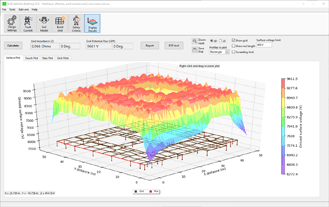
ELEK SafeGrid Earthing Software is a modern alternative to CDEGS, offering accurate multilayer finite element method (FEM) calculations, an intuitive user interface, flexible licensing options, and competitive pricing.

ELEK SafeGrid and CDEGS both perform earthing system design calculations, including grid resistance, touch and step voltages, and ground potential rise (GPR) in multilayer soil models.

The accuracy of ELEK SafeGrid has been benchmarked against CDEGS and produces virtually identical results for grid resistance calculations in multilayer soils.

ELEK SafeGrid is widely used by engineers as an alternative to CDEGS.

Start a Free Trial of ELEK SafeGrid Earthing Software.

About the comparison

ELEK SafeGrid Earthing Version 9.5. Date of release: January 2026.
CDEGS Version 20.0. Date of release: 2025

This comparison is based on internal evaluations and publicly available information for the listed software versions. Capabilities may vary depending on configuration, modules, and updates. Readers should verify specific features with the software vendors.

Compare

Why choose ELEK SafeGrid over CDEGS?

ELEK SafeGrid offers a modern streamlined interface, providing a more efficient approach to earthing system design.

ELEK Software Logo
ELEK SAFEGRID
White block letters "SES" on a blue rectangular background, with the letters arranged in a geometric, interlocking style.
CDEGS

General

Feature ELEK SafeGrid CDEGS
Multilayer FEM calculations
tooltip icon - CDEGS vs. ELEK SafeGrid Software
Both tools use finite element methods to solve for grounding system performance in multilayer soil models.
Green checkmark inside a green circle on a light background, symbolizing approval or confirmation.

Yes

Green checkmark inside a green circle on a light background, symbolizing approval or confirmation.

Yes

Non-equipotential grid analysis
tooltip icon - CDEGS vs. ELEK SafeGrid Software
SafeGrid defaults to non-equipotential analysis, the more accurate method that accounts for voltage drops along conductors due to self- and mutual-impedance effects. Equivalent to the CDEGS MALZ module.
Green checkmark inside a green circle on a light background, symbolizing approval or confirmation.

Yes

Green checkmark inside a green circle on a light background, symbolizing approval or confirmation.

Yes - MALZ module

Grid resistance and Ground potential rise (GPR) calculations Green checkmark inside a green circle on a light background, symbolizing approval or confirmation.

Yes

Green checkmark inside a green circle on a light background, symbolizing approval or confirmation.

Yes

Touch, reach touch, and step voltage calculations Green checkmark inside a green circle on a light background, symbolizing approval or confirmation.

Yes

Green checkmark inside a green circle on a light background, symbolizing approval or confirmation.

Yes

Non-equipotential grid analysis
tooltip icon - CDEGS vs. ELEK SafeGrid Software
SafeGrid defaults to non-equipotential analysis, the more accurate method that accounts for voltage drops along conductors due to self- and mutual-impedance effects. Equivalent to the CDEGS MALZ module.

2 users at the same time

1 user at a time

Network licence
tooltip icon - CDEGS vs. ELEK SafeGrid Software
ELEK uses flexible software-based protection, not hardware-based dongles.
Green checkmark inside a green circle on a light background, symbolizing approval or confirmation.

Yes

Green checkmark inside a green circle on a light background, symbolizing approval or confirmation.

Yes

Easy-to-use User Interface
tooltip icon - CDEGS vs. ELEK SafeGrid Software
SafeGrid follows a logical, step-by-step design workflow that guides engineers through soil modelling, grid design, safety assessment, and reporting. CDEGS requires formal 5-day training courses and offers a three-level certification program (Fundamental, Advanced, Expert).

Modern and intuitive user interface with a guided step-by-step workflow. New users can be productive within hours.

Multi-module environment with a steep learning curve. Requires formal training courses to become proficient.

Multiple languages support
tooltip icon - CDEGS vs. ELEK SafeGrid Software
SafeGrid supports 10 different languages.
Green checkmark inside a green circle on a light background, symbolizing approval or confirmation.

Yes

Green checkmark inside a green circle on a light background, symbolizing approval or confirmation.

Yes

Free trial Green checkmark inside a green circle on a light background, symbolizing approval or confirmation.

Yes - Get a free trial

A red "X" mark centered on a light beige circular background, indicating an error or incorrect action.

No

Transparent pricing
tooltip icon - CDEGS vs. ELEK SafeGrid Software
SafeGrid pricing is listed on the website. CDEGS pricing requires a quote.
Green checkmark inside a green circle on a light background, symbolizing approval or confirmation.

Yes - See the pricing

A red "X" mark centered on a light beige circular background, indicating an error or incorrect action.

No - Quote required

Soil Resistivity Modelling

Feature ELEK SafeGrid CDEGS
Automatic multilayer soil modelling
tooltip icon - CDEGS vs. ELEK SafeGrid Software
SafeGrid automatically determines the optimal number of soil layers and fits a model to the apparent resistivity curve from field measurements.
Green checkmark inside a green circle on a light background, symbolizing approval or confirmation.

Yes

Green checkmark inside a green circle on a light background, symbolizing approval or confirmation.

Yes - RESAP module

Wenner measurement method Green checkmark inside a green circle on a light background, symbolizing approval or confirmation.

Yes

Green checkmark inside a green circle on a light background, symbolizing approval or confirmation.

Yes

Schlumberger measurement method Green checkmark inside a green circle on a light background, symbolizing approval or confirmation.

Yes

Green checkmark inside a green circle on a light background, symbolizing approval or confirmation.

Yes

Dipole-Dipole and Unipolar measurement methods Green checkmark inside a green circle on a light background, symbolizing approval or confirmation.

Yes

Green checkmark inside a green circle on a light background, symbolizing approval or confirmation.

Yes

Horizontal multilayer soils Green checkmark inside a green circle on a light background, symbolizing approval or confirmation.

Yes

Green checkmark inside a green circle on a light background, symbolizing approval or confirmation.

Yes

Vertical multilayer soils Green checkmark inside a green circle on a light background, symbolizing approval or confirmation.

Yes

Green checkmark inside a green circle on a light background, symbolizing approval or confirmation.

Yes

Spherical/cylindrical/ hemispheroidal soil structures
tooltip icon - CDEGS vs. ELEK SafeGrid Software
These advanced soil models are used in specialised research and complex electromagnetic studies.
A red "X" mark centered on a light beige circular background, indicating an error or incorrect action.

No

Green checkmark inside a green circle on a light background, symbolizing approval or confirmation.

Yes

Finite soil volumes
tooltip icon - CDEGS vs. ELEK SafeGrid Software
Horizontal multilayer soils with embedded finite soil volumes.
A red "X" mark centered on a light beige circular background, indicating an error or incorrect action.

No - Under development

Green checkmark inside a green circle on a light background, symbolizing approval or confirmation.

Yes

Excel data import
tooltip icon - CDEGS vs. ELEK SafeGrid Software
SafeGrid supports importing Wenner measurement data from Excel files.
Green checkmark inside a green circle on a light background, symbolizing approval or confirmation.

Yes

A red "X" mark centered on a light beige circular background, indicating an error or incorrect action.

No

Driven probe depth adjustment Green checkmark inside a green circle on a light background, symbolizing approval or confirmation.

Yes

Green checkmark inside a green circle on a light background, symbolizing approval or confirmation.

Yes

Soil frequency dependency
tooltip icon - CDEGS vs. ELEK SafeGrid Software
Modelling of frequency-dependent soil behaviour during lightning events.
Green checkmark inside a green circle on a light background, symbolizing approval or confirmation.

Yes - Professional edition

Green checkmark inside a green circle on a light background, symbolizing approval or confirmation.

Yes

Seasonal variation analysis
tooltip icon - CDEGS vs. ELEK SafeGrid Software
SafeGrid calculates the effects of annual soil temperature and moisture variation on soil resistivity for all days of the year, determines the worst-case day, and corrects the soil model accordingly.
Green checkmark inside a green circle on a light background, symbolizing approval or confirmation.

Yes

A red "X" mark centered on a light beige circular background, indicating an error or incorrect action.

No

Earthing Grid Design

Feature ELEK SafeGrid CDEGS
Custom grids of any shape or size Green checkmark inside a green circle on a light background, symbolizing approval or confirmation.

Yes

Green checkmark inside a green circle on a light background, symbolizing approval or confirmation.

Yes

Import and Export from AutoCAD (DXF)
tooltip icon - CDEGS vs. ELEK SafeGrid Software
SafeGrid supports import and export from 2D or 3D DXF files.
Green checkmark inside a green circle on a light background, symbolizing approval or confirmation.

Yes

Green checkmark inside a green circle on a light background, symbolizing approval or confirmation.

Yes

DWG import A red "X" mark centered on a light beige circular background, indicating an error or incorrect action.

No

Green checkmark inside a green circle on a light background, symbolizing approval or confirmation.

Yes

KML import/export A red "X" mark centered on a light beige circular background, indicating an error or incorrect action.

No

Green checkmark inside a green circle on a light background, symbolizing approval or confirmation.

Yes

CAD editor
tooltip icon - CDEGS vs. ELEK SafeGrid Software
SafeGrid and CDEGS include a CAD environment for creating grounding grids of arbitrary shapes.
Green checkmark inside a green circle on a light background, symbolizing approval or confirmation.

Yes

Green checkmark inside a green circle on a light background, symbolizing approval or confirmation.

Yes - SESCAD

Automated grid design optimisation
tooltip icon - CDEGS vs. ELEK SafeGrid Software
CDEGS AutoGroundDesign identifies economical configurations meeting user-defined safety criteria with no user intervention between phases.
A red "X" mark centered on a light beige circular background, indicating an error or incorrect action.

No

Green checkmark inside a green circle on a light background, symbolizing approval or confirmation.

Yes - AutoGroundDesign

Above-ground conductors Green checkmark inside a green circle on a light background, symbolizing approval or confirmation.

Yes - Professional edition

Green checkmark inside a green circle on a light background, symbolizing approval or confirmation.

Yes

Support for extremely large grids
tooltip icon - CDEGS vs. ELEK SafeGrid Software
SafeGrid Professional supports grids with 15,000+ conductors.
Green checkmark inside a green circle on a light background, symbolizing approval or confirmation.

Yes - Professional edition (15,000+ conductors)

Green checkmark inside a green circle on a light background, symbolizing approval or confirmation.

Yes

Conductor database A red "X" mark centered on a light beige circular background, indicating an error or incorrect action.

No

Green checkmark inside a green circle on a light background, symbolizing approval or confirmation.

Yes - Extensive library

PDF overlay tool
tooltip icon - CDEGS vs. ELEK SafeGrid Software
SafeGrid allows results to be displayed directly on construction drawings.
Green checkmark inside a green circle on a light background, symbolizing approval or confirmation.

Yes

A red "X" mark centered on a light beige circular background, indicating an error or incorrect action.

No

Multiple conductor type specifications Green checkmark inside a green circle on a light background, symbolizing approval or confirmation.

Yes

Green checkmark inside a green circle on a light background, symbolizing approval or confirmation.

Yes

Short-circuit rating of conductors Green checkmark inside a green circle on a light background, symbolizing approval or confirmation.

Yes

Green checkmark inside a green circle on a light background, symbolizing approval or confirmation.

Yes

Try ELEK SafeGrid Earthing for free and see the difference for yourself.

Safety Voltage Assessment

Feature ELEK SafeGrid CDEGS
Surface potential distribution Green checkmark inside a green circle on a light background, symbolizing approval or confirmation.

Yes - 3D and 2D visualisation

Green checkmark inside a green circle on a light background, symbolizing approval or confirmation.

Yes - 3D and 2D visualisation

Permissible body current limits
tooltip icon - CDEGS vs. ELEK SafeGrid Software
Determination of fibrillation current limits for safety criteria.
Green checkmark inside a green circle on a light background, symbolizing approval or confirmation.

Yes

Green checkmark inside a green circle on a light background, symbolizing approval or confirmation.

Yes

Safety criteria to IEEE Std. 80
tooltip icon - CDEGS vs. ELEK SafeGrid Software
Guide for safety in AC substation grounding.
Green checkmark inside a green circle on a light background, symbolizing approval or confirmation.

Yes

Green checkmark inside a green circle on a light background, symbolizing approval or confirmation.

Yes

Safety criteria to IEC/TS 60479
tooltip icon - CDEGS vs. ELEK SafeGrid Software
Effects of current on human beings and livestock.
Green checkmark inside a green circle on a light background, symbolizing approval or confirmation.

Yes

Green checkmark inside a green circle on a light background, symbolizing approval or confirmation.

Yes

Safety criteria to EN 50522
tooltip icon - CDEGS vs. ELEK SafeGrid Software
Earthing of power installations exceeding 1 kV AC.
Green checkmark inside a green circle on a light background, symbolizing approval or confirmation.

Yes

A red "X" mark centered on a light beige circular background, indicating an error or incorrect action.

No

Safety criteria to IEC 61936
tooltip icon - CDEGS vs. ELEK SafeGrid Software
Power installations exceeding 1 kV AC.
A red "X" mark centered on a light beige circular background, indicating an error or incorrect action.

No

Green checkmark inside a green circle on a light background, symbolizing approval or confirmation.

Yes

Coating stress evaluation A red "X" mark centered on a light beige circular background, indicating an error or incorrect action.

No

Green checkmark inside a green circle on a light background, symbolizing approval or confirmation.

Yes

Transfer voltage analysis A red "X" mark centered on a light beige circular background, indicating an error or incorrect action.

No

Green checkmark inside a green circle on a light background, symbolizing approval or confirmation.

Yes

Leakage current density Green checkmark inside a green circle on a light background, symbolizing approval or confirmation.

Yes

Green checkmark inside a green circle on a light background, symbolizing approval or confirmation.

Yes

Voltage magnitude display on grid conductors Green checkmark inside a green circle on a light background, symbolizing approval or confirmation.

Yes

Green checkmark inside a green circle on a light background, symbolizing approval or confirmation.

Yes

Metric and Imperial units Green checkmark inside a green circle on a light background, symbolizing approval or confirmation.

Yes

Green checkmark inside a green circle on a light background, symbolizing approval or confirmation.

Yes

Fault Current Distribution

Feature ELEK SafeGrid CDEGS
Fault current distribution modelling
tooltip icon - CDEGS vs. ELEK SafeGrid Software
SafeGrid includes a fault current distribution module for cable systems and overhead transmission lines.
Green checkmark inside a green circle on a light background, symbolizing approval or confirmation.

Yes

Green checkmark inside a green circle on a light background, symbolizing approval or confirmation.

Yes - FCDIST / SPLITS modules

Cable and overhead line modelling Green checkmark inside a green circle on a light background, symbolizing approval or confirmation.

Yes

Green checkmark inside a green circle on a light background, symbolizing approval or confirmation.

Yes

Single-line diagram creation Green checkmark inside a green circle on a light background, symbolizing approval or confirmation.

Yes

Green checkmark inside a green circle on a light background, symbolizing approval or confirmation.

Yes

Power system fault current modelling Green checkmark inside a green circle on a light background, symbolizing approval or confirmation.

Yes

Green checkmark inside a green circle on a light background, symbolizing approval or confirmation.

Yes

Lightning current modelling A red "X" mark centered on a light beige circular background, indicating an error or incorrect action.

No

Green checkmark inside a green circle on a light background, symbolizing approval or confirmation.

Yes

EMI analysis
tooltip icon - CDEGS vs. ELEK SafeGrid Software
Electromagnetic interference analysis for railways, communication cables, fences, and pipelines.
A red "X" mark centered on a light beige circular background, indicating an error or incorrect action.

No

Green checkmark inside a green circle on a light background, symbolizing approval or confirmation.

Yes - TRALIN / SPLITS modules

Pipeline interference studies A red "X" mark centered on a light beige circular background, indicating an error or incorrect action.

No

Green checkmark inside a green circle on a light background, symbolizing approval or confirmation.

Yes

Cathodic protection analysis A red "X" mark centered on a light beige circular background, indicating an error or incorrect action.

No

Green checkmark inside a green circle on a light background, symbolizing approval or confirmation.

Yes

HVDC electrode analysis A red "X" mark centered on a light beige circular background, indicating an error or incorrect action.

No

Green checkmark inside a green circle on a light background, symbolizing approval or confirmation.

Yes

Lightning Protection

Feature ELEK SafeGrid CDEGS
Rolling sphere method Green checkmark inside a green circle on a light background, symbolizing approval or confirmation.

Yes

Green checkmark inside a green circle on a light background, symbolizing approval or confirmation.

Yes

Protection level determination Green checkmark inside a green circle on a light background, symbolizing approval or confirmation.

Yes

Green checkmark inside a green circle on a light background, symbolizing approval or confirmation.

Yes

3D protected area visualisation Green checkmark inside a green circle on a light background, symbolizing approval or confirmation.

Yes

Green checkmark inside a green circle on a light background, symbolizing approval or confirmation.

Yes - SESShield-3D

Mast and earth wire placement Green checkmark inside a green circle on a light background, symbolizing approval or confirmation.

Yes

Green checkmark inside a green circle on a light background, symbolizing approval or confirmation.

Yes

Try ELEK SafeGrid Earthing for free and see the difference for yourself.

Transient Analysis

Feature ELEK SafeGrid CDEGS
Transient (time-domain) analysis Green checkmark inside a green circle on a light background, symbolizing approval or confirmation.

Yes - Professional edition

Green checkmark inside a green circle on a light background, symbolizing approval or confirmation.

Yes - FFTSES module

High frequencies up to 10 MHz
tooltip icon - CDEGS vs. ELEK SafeGrid Software
For lightning current analysis.
Green checkmark inside a green circle on a light background, symbolizing approval or confirmation.

Yes - Professional edition

Green checkmark inside a green circle on a light background, symbolizing approval or confirmation.

Yes - MALZ up to 1 MHz; HIFREQ for higher

Reporting

Feature ELEK SafeGrid CDEGS
Comprehensive PDF reports Green checkmark inside a green circle on a light background, symbolizing approval or confirmation.

Yes

Green checkmark inside a green circle on a light background, symbolizing approval or confirmation.

Yes

Microsoft Word reports Green checkmark inside a green circle on a light background, symbolizing approval or confirmation.

Yes

A red "X" mark centered on a light beige circular background, indicating an error or incorrect action.

No

PDF overlay on construction drawings
tooltip icon - CDEGS vs. ELEK SafeGrid Software
SafeGrid allows earthing results to be overlaid directly on construction drawings for easy review.
Green checkmark inside a green circle on a light background, symbolizing approval or confirmation.

Yes

A red "X" mark centered on a light beige circular background, indicating an error or incorrect action.

No

Customisable report templates Green checkmark inside a green circle on a light background, symbolizing approval or confirmation.

Yes

Green checkmark inside a green circle on a light background, symbolizing approval or confirmation.

Yes

3D voltage surface plots Green checkmark inside a green circle on a light background, symbolizing approval or confirmation.

Yes

Green checkmark inside a green circle on a light background, symbolizing approval or confirmation.

Yes

2D contour plots Green checkmark inside a green circle on a light background, symbolizing approval or confirmation.

Yes

Green checkmark inside a green circle on a light background, symbolizing approval or confirmation.

Yes

Grid plots including conductor leakage and longitudinal currents, and conductor voltages. Green checkmark inside a green circle on a light background, symbolizing approval or confirmation.

Yes

A red "X" mark centered on a light beige circular background, indicating an error or incorrect action.

No

Batch processing and scripting
tooltip icon - CDEGS vs. ELEK SafeGrid Software
CDEGS provides automation capabilities through SESBatch and SESScript.
A red "X" mark centered on a light beige circular background, indicating an error or incorrect action.

No

Green checkmark inside a green circle on a light background, symbolizing approval or confirmation.

Yes - SESBatch / SESScript

Conclusion

While CDEGS remains a widely used tool for grounding and electromagnetic analysis, ELEK SafeGrid offers a more modern, efficient approach to earthing system design.

With accurate multilayer FEM calculations, comprehensive safety voltage assessment, and a streamlined user interface, ELEK SafeGrid enables engineers to design earthing systems more efficiently while maintaining alignment with established industry standards such as IEEE 80 and IEC 60479.

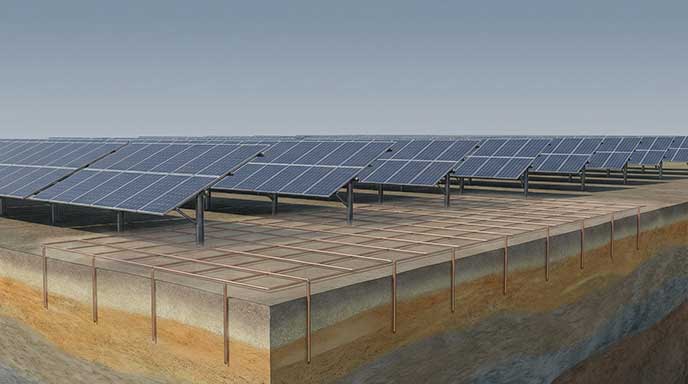
For organisations focused on earthing system design for substations, solar farms, wind farms, and industrial facilities, ELEK SafeGrid provides a compelling alternative to CDEGS.

SafeGrid Earthing Software

Easily design safe earthing systems in compliance with Standards.

Related Articles:

Comparison of the best earthing and grounding system design software including ELEK SafeGrid, CDEGS, XGSLab, ETAP and more based on technical features and compares price.
Learn how soil resistivity variation affects grounding grid impedance and touch voltage on large solar farms and substations.
Design methods that reduce earth grid resistance, comparing relative effectiveness and practical limitations in grounding system design.
Experienced electrical engineers created this reference list of standards for power systems earthing/grounding for substations, renewable energy, etc.
Understand how software simulations enhance grid impedance tests, improving accuracy and efficiency in earthing system design and performance evaluation.
This report explains how to perform accurate earth fault current analysis for substations connected by cable transmission lines. Earth fault currents for simple cable and overhead transmission lines are explained first. Next, two case studies involving hybrid cable transmission lines are presented.

Print this article:

Print

SafeGrid Earthing Software

An electrical device with software and a graph on its screen.

Easily design safe earthing systems in compliance with Standards.

As used by:

SafeGrid Earthing Clients