














































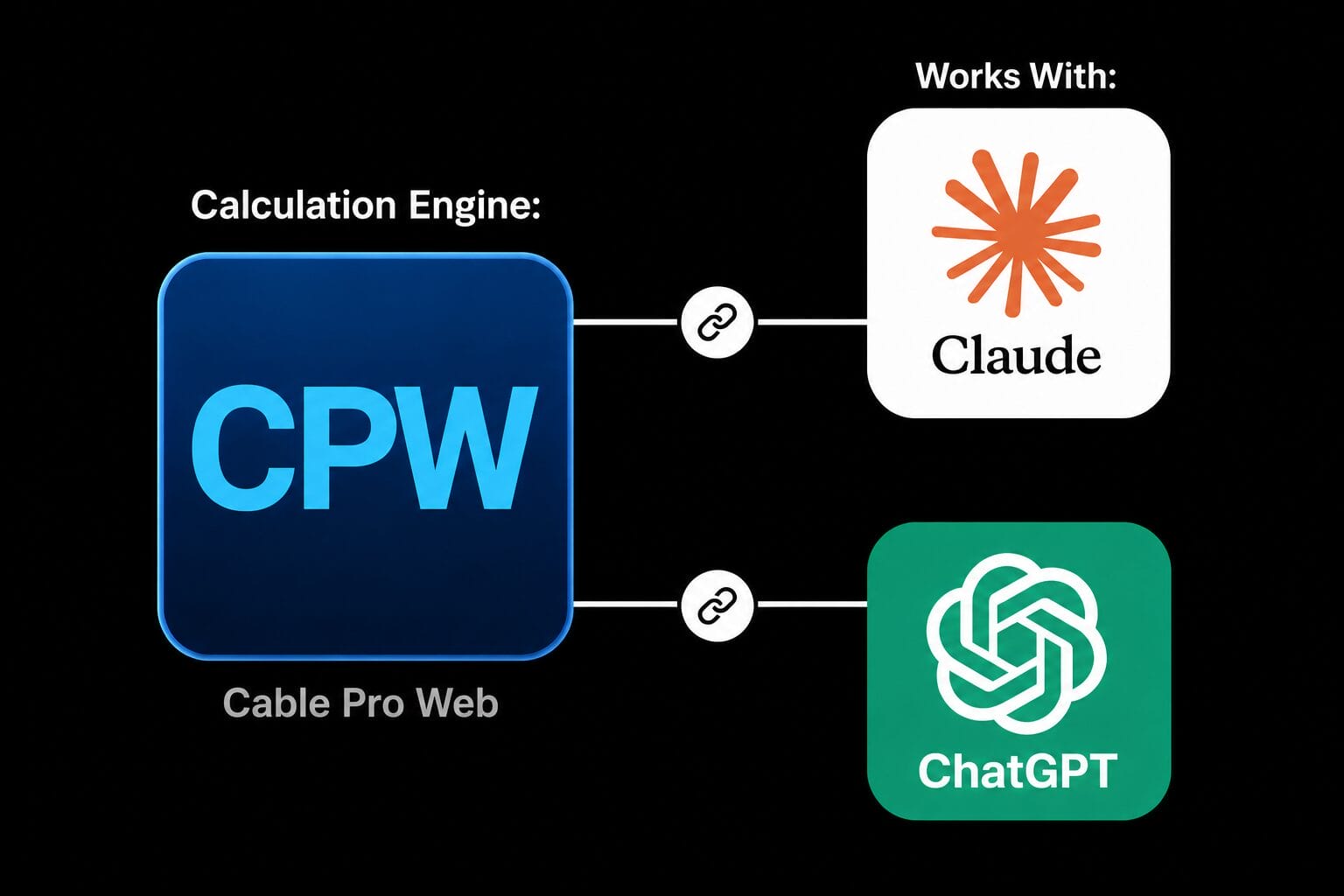




Blue square icon with the light blue letters "CPW" in the center on a dark blue gradient background.

ELEK Cable Pro Web™

Compliant with AS/NZS 3008 Standards

Electrical Design and Cable Sizing Software

*No credit card required - ongoing free plan.

What is Cable Pro Web?

ELEK Cable Pro Web is cloud-based electrical design software for Australian and New Zealand electricians, electrical engineers and contractors.

Design AS/NZS 3008 and AS/NZS 3000 compliant LV electrical systems with tools for calculating cable sizing, maximum demand, voltage drop/rise, fault loop impedance, protection coordination, arc flash, cable pulling and standards-referenced reports.

Get your free account and run compliant electrical calculations from any device.

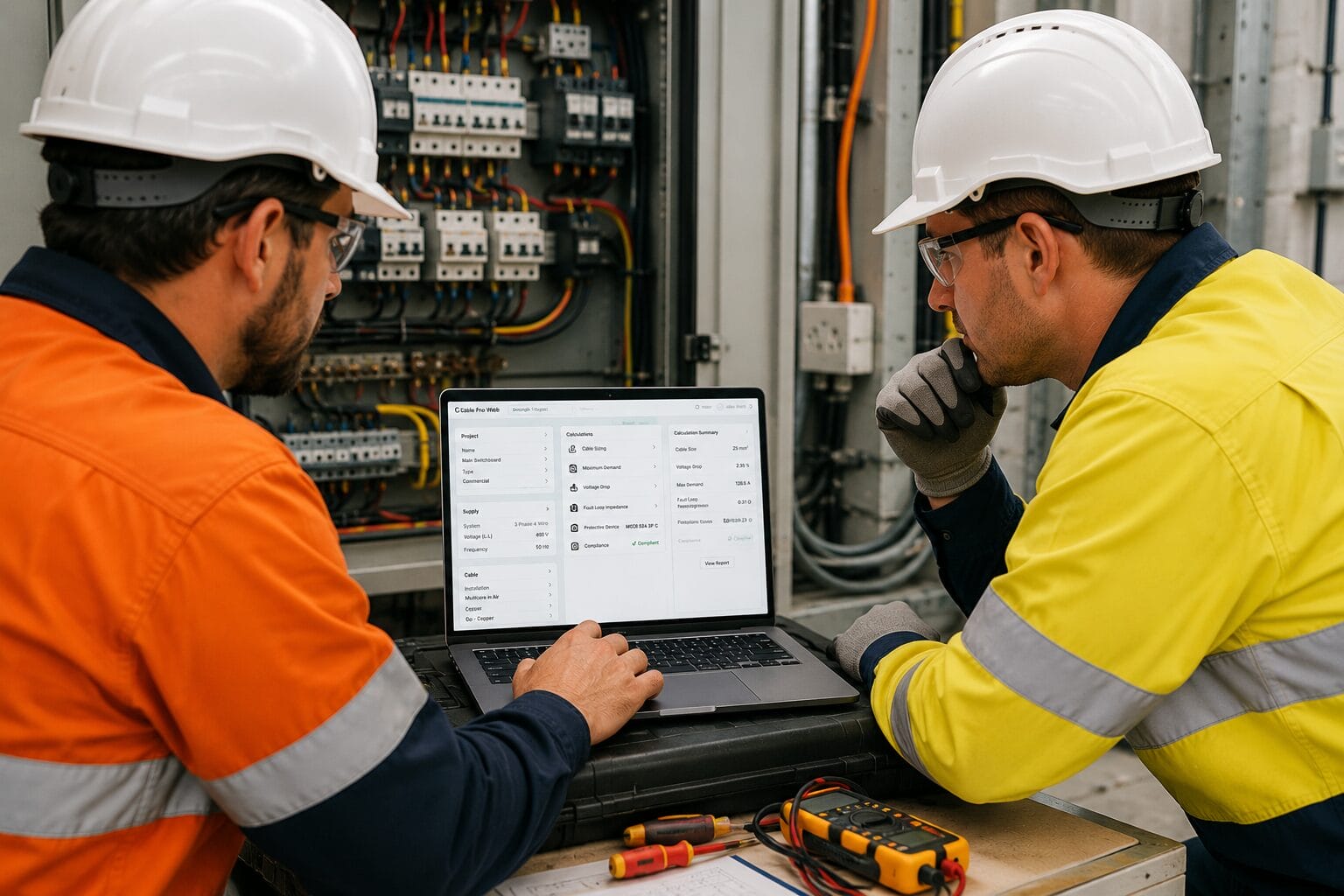
Two engineers in safety gear review data on a laptop in front of an open electrical panel, with tools and wires visible on the table nearby.

Key Features and Capabilities

Low Voltage Electrical Network Design

Automated low-voltage electrical network design from LV/HV supply, to multiple switchboards, loads and capacitor banks.

Outputs calculation reports, equipment schedules and network interactive single-line diagrams.

  • Interactive Single-Line Diagrams: Build and visualise custom network diagrams with live editing and AutoCAD® export.
  • Supply Sizing & Multiple Switchboards: Transformer and generator sizing. Multiple switchboards and final sub-circuits or loads.

  • Network Voltage Drop and Fault Loop: Automatically sizes cables to meet the network voltage drop limit and calculates the total fault loop.

  • Fault Level & Maximum Demand Calculations: Performs fault level calculations and upstream maximum demand for switchboards.

Protective Device Coordination and Selection

Perform coordination studies, verify discrimination and choose the right protective devices with confidence.

  • Time-current curves: Plot time-current curves and check discrimination for cascaded circuit breakers and fuses to match your custom electrical installations.

  • Huge database of devices: Over 50,000 manufacturer devices. Time-current curves, settings, breaking capacities, part numbers and characteristics are available.

  • Coordination criteria and Sequence of operation: Coordination criteria ensure standards compliance for current and time-based discrimination.

  • Generate Commissioning-Ready Reports: Create detailed reports including time-current curves showing discrimination, device details for purchase and settings for commissioning.

The image shows the ABB logo in bold red block letters on a light gray background.
The image shows the Hager company logo in light blue lowercase letters on a light gray background.
Blue square with the white capital letters "NHP" in a bold, modern font centered inside.
Schneider Electric logo in green text with a stylized "SE" symbol between the words "Schneider" and "Electric" on a white background.
The image shows the letters "LS" in bold dark blue font with a red triangular shape extending from the top right of the letter "S" on a light gray background.
The image displays the Siemens logo with the word "SIEMENS" in bold, teal capital letters on a light background.
The image shows the blue Eaton logo with stylized block letters on a light gray background.

Cable Sizing and Maximum Demand Calculations

Easily and instantly selects the minimum safe cable size in full compliance with AS/NZS 3008 and AS/NZS 3000 Standards.

The maximum demand calculator automatically applies the rules for all installation types and balances the loads.

  • Automatic Cable & Earth Sizing: Automatically selects the minimum compliant active and earth cable sizes. Manually select cable sizes to verify compliance.

  • Accurate Voltage Drop: Calculate voltage drop and voltage rise for DC, single-phase and three-phase systems. 

  • Automated Maximum Demand: Domestic or living units and non-domestic installations. Automatically applies rules and balances phases.

  • Fault Loop Impedance Verification: Protective device (MCB, MCCB, ACB or fuse) settings used for calculating earth fault loop impedance.

Compliance Reports and Project Documentation

Create client-ready reports, compliance documentation and cable schedules directly from your electrical design calculations.

  • Custom-Branded PDF Reports: Generate professional reports containing calculation inputs, results and compliance checks, complete with your company logo. 

  • Standards-Based References: Include table numbers, column references and supporting data from AS/NZS 3008 to improve transparency and verification.

  • Voltage Rise Compliance Reports: Generate dedicated voltage rise reports for multiple cable runs to support compliance with AS/NZS 4777.1 installation requirements.

  • Cable Schedules for Project Delivery: Export cable schedules directly to Excel for procurement, construction documentation and project handover.

AI Electrical Calculations

Get standards-compliant cable sizing results through ChatGPT and Claude’s interfaces, backed by the proven Cable Pro Web engine.

  • Natural Language Workflow: Describe your project requirements conversationally without entering parameters manually.
  • Verified Calculations: Every calculation is produced by the Cable Pro Web engine, delivering results you can trust on real projects.
  • Standards-Compliant Results: Receive outputs aligned with Australia’s AS/NZS 3008 and AS/NZS 3000 Standards, complete with documented calculation details.

  • Submission-Ready Reports: Generate professional reports with applied parameters, referenced standards and traceable results.

Diagram showing Cable Pro Web (CPW) as a calculation engine connected to Claude and ChatGPT, indicating compatibility with both AI tools.

Start For Free Today

Our Free Plan never expires and no credit card is required. With no software to install, you’re minutes away from easy and accurate calculations.

Explore AS/NZS 3008 and AS/NZS 3000 compliant features:

You’re viewing cable sizing calculations for Australian and New Zealand in Cable Pro Web using AS/NZS 3008 and AS/NZS 3000.

Need another standard? Select one below.

Standards Australia logo featuring a stylized yellow and grey curved shape above the text "STANDARDS Australia" on a white background.

Australia & NZ

AS/NZS 3008

Current Standard

The BSI logo with lowercase black letters "bsi" and a red dot following the "i" on a white background.

British

BS 7671

Blue and white IEC logo with the letters "IEC" above three horizontal lines and a circle inside a square.

International

IEC 60364

Red "nec" logo with two lightning bolts, one above and one below the letters, enclosed in a red circle on a white background.

United States

NEC (70 NFPA)

A Plan for Every Need

Select from a range of plans. Not ready to decide? Simply choose our Free plan – no credit card required.

Discounts are available for additional users and for annual payments. Prices shown are inclusive of GST.

Annual Plans (Save 45%)
Monthly Plans

Free

0
Per year, per seatThe number of seats translates to how many users can access Cable Pro Web at the same time.

No credit card required

100 cable sizing calls per day

Main Features:

Online Documentation & Tutorials

No Commitment

Works on Desktop and Mobile

Essential

99
Per year, per seatThe number of seats translates to how many users can access Cable Pro Web at the same time.
50% discount on additional seats

500 cable sizing calls per day

Main Features:

Cable Sizing Includes:

Auto-size or manual. 1ph, 3ph, DC, 2ph. Cu/flex, Al/flex conductors. Accurate voltage drop/rise. Fault loop impedance check. Correction factors. Protective devices. Conduit sizing. Short-circuit rating. Unbalanced voltage drop (Premium plan or above). Reports with references.

Live Chat with Engineering Support

No Contracts, Cancel Anytime

Works on Desktop and Mobile

Premium

290
Per year, per seatThe number of seats translates to how many users can access Cable Pro Web at the same time.

50% discount on additional seats

1500 cable sizing calls per day

Main Features:

Maximum demand Includes:

Domestic or living units and non-domestic installations. Automatically applies rules and balances phases.

Live Chat with Engineering Support

No Contracts, Cancel Anytime

Works on Desktop and Mobile

Professional

650
Per year, per seatThe number of seats translates to how many users can access Cable Pro Web at the same time.

50% discount on additional seats

5000 cable sizing calls per day

Main Features:

LV Network Calculator Includes:

Electrical network calculations with multiple switchboards, Interactive Single-Line Diagrams, Transformers and generators, Fault level calculations, Protection coordination, Arc flash, Power factor correction, AutoCAD design export.

Live Chat with Engineering Support

No Contracts, Cancel Anytime

Works on Desktop and Mobile

Start For Free Today

Our Free Plan never expires and no credit card is required. With no software to install, you’re minutes away from easy and accurate calculations.

Frequently Asked Questions

Yes, ELEK Cable Pro Web includes a dedicated version built specifically for Australia and New Zealand, and performs electrical design and cable sizing calculations in accordance with AS/NZS 3008 and AS/NZS 3000.

ELEK Cable Pro Web supports several international standards in the same software, selected at login:

  1. Australian and New Zealand Standard: AS/NZS 3008 and AS/NZS 3000.

  2. British Standard: BS 7671.

  3. International Standard: IEC 60364.

  4. United States Standard: NEC (NFPA 70) 

Yes, you can get started in two ways:

  1. Free account: Requires no credit card and gives you immediate access to basic wire sizing calculations. 

  2. Free 14-day trial: For engineers and electricians who want to evaluate the full feature set of our paid plans: Essential, Premium and Professional.

You can access ELEK Cable Pro Web on any device (desktop, laptop, tablet, or mobile) with an internet connection and a web browser.

ELEK Cable Pro Web is fully-responsive and adapts to any device screen including desktop, tablet or mobile device. Simply login on any device from anywhere via your web browser.

Multiple users can share a login however only one user can be logged in at a time. If you’d like to share an account then you can create a generic username for example “YourCompanyName”. Contact us if you’d like assistance to do this.

You will be automatically logged out of your office computer so you can use the software right away on your mobile.

Yes, your calculations and projects are securely stored in the cloud and are linked to your private account. Storage limits depend on your subscription plan. Each plan includes a specific amount of cloud storage, and you can upgrade anytime to increase capacity. You can also archive your projects and calculations as needed.

ELEK Cable Pro Web is supported by a team of electrical engineers who understand the work you are doing. Support is available via live chat directly inside the application on paid plans, and by email for all users.

The ChatGPT and Claude AI interface doesn’t do the calculation; the ELEK Cable Pro Web engine does.

The AI handles the conversation; every number is generated by the same deterministic calculation engine that ELEK Cable Pro Web users rely on. Results in chat are identical to results in ELEK Cable Pro Web, verified field-by-field.

Yes, ELEK Cable Pro Web is suitable for residential electrical installations and automatically applies the maximum demand requirements of AS/NZS 3000 for dwelling units. Single-phase loads are automatically balanced across phases and included in all compliance calculations and reports, helping ensure accurate and compliant residential designs.

Yes, ELEK Cable Pro Web is suitable for commercial and industrial electrical installations and performs cable sizing calculations in accordance with AS/NZS 3008 and AS/NZS 3000. The software supports complex electrical systems with multiple switchboards, large loads, motor circuits, and detailed compliance reporting, making it suitable for projects ranging from small commercial developments to large industrial facilities.

Expert Support and Resources

Our software is designed to be simple and intuitive, but if you need a helping hand, we have a support team and range of online resources to help get you get up to speed quickly.

Icon of a clipboard with a checklist and a checkmark symbol beside it.

First Class Support

Our technical team is on-hand to assist you with any questions you have about ELEK software.

Icon of documents with a bar chart, symbolizing data analysis or reports.

Step-by-Step Tutorials

Dive into our library of tutorials to expand your skills and get more from Cable Pro Web.

Illustration of three vertical sliders on a control panel, each set at different heights, symbolizing audio or settings adjustment.

Technical Resources

Broaden your knowledge with our range of videos and in-depth articles on a wide range of topics.

Start For Free Today

Our Free Plan never expires and no credit card is required. With no software to install, you’re minutes away from easy and accurate calculations.

A group of six people, three seated and three standing, in a modern office setting with a neon sign on the wall.

About ELEK Software

We're Here For You

ELEK is an electrical software company founded in 2009.

We provide software solutions to the electrical design industry. Our vision is to provide the world’s best and most innovative electrical software for engineers and electrical contractors.

Our software is developed and supported by an experienced team from our head office.

Read about our story.